
Rust Console Servers: The Problems Players Don't See Behind the Scenes
Rust Console community servers aren't just asking for fewer bugs. Server owners are dealing with backups, wipes, RCON problems, discovery issues, manual configuration and the constant fear of losing weeks of community progress.

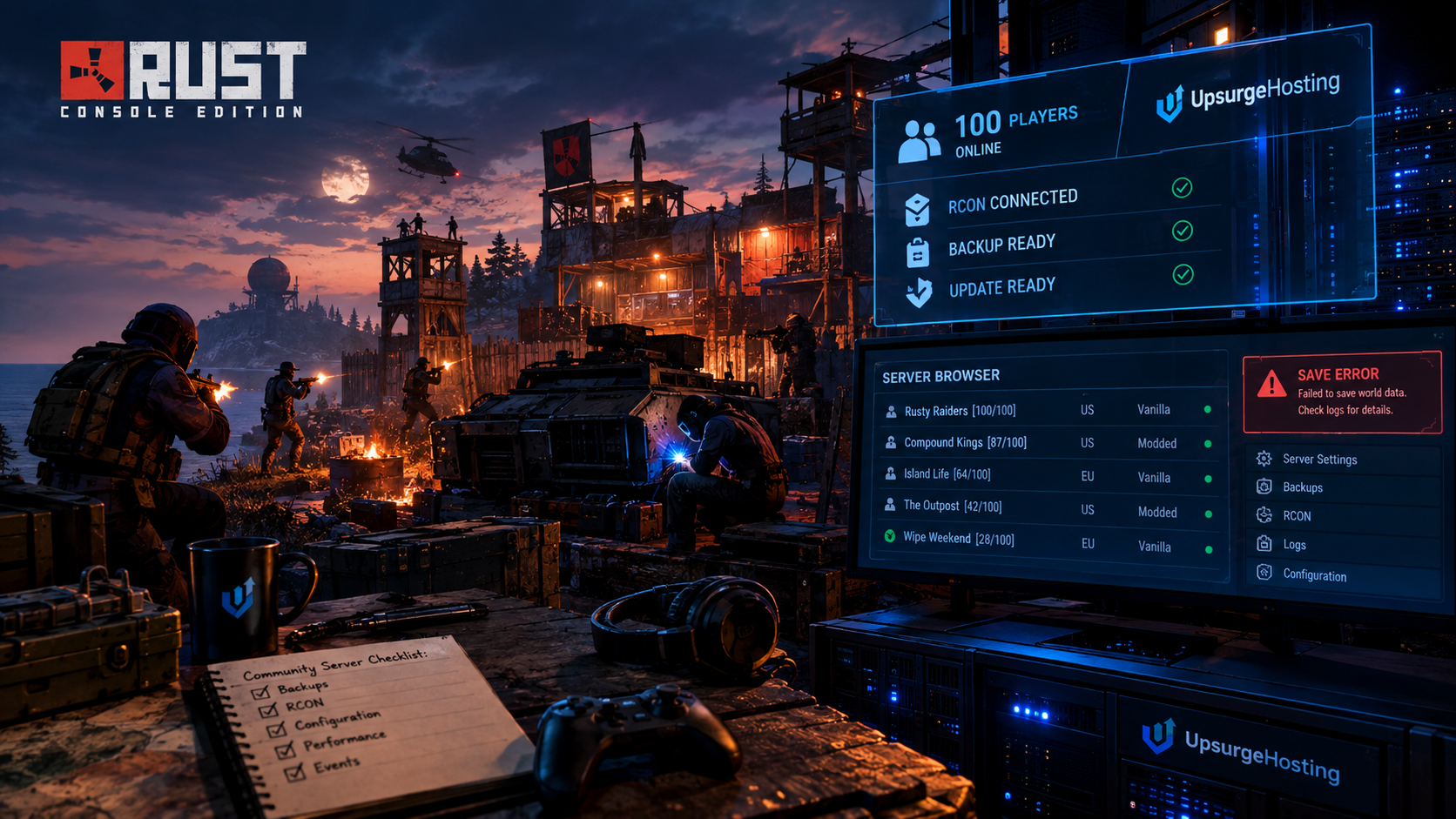
The Side of Rust Console You Never See
There is a side of Rust Console Edition that most players never see.
You join a server.
You build your base.
You meet some people.
Maybe you start a clan. Maybe you run events. Maybe you've got a little community that has been playing together for months.
From the player's perspective, the server is simply there.
But somebody has to keep it there.
And lately, conversations among Rust Console players, server operators, creators and others involved with the game have highlighted a bigger problem than one particular bug or server-browser change.
Running a community server can be a lot more work than playing on one.
The recent discussions around server names, search visibility, save problems, RCON, backups, configuration and custom content all point toward the same underlying issue:
Community servers need better tools and more control as the game continues to evolve.
Server Name Debate Is Really About Discovery
One of the recent discussions surrounding community servers involved server names and how formatting can affect server discovery.
Some server operators have been using Unity formatting tags inside server names to manipulate how keywords appear to players while still affecting search behavior.
That creates an obvious problem.
If server names are part of the discovery system, then operators naturally want to make their servers easier to find.
But if formatting can be abused to effectively hide keywords while still influencing search results, the system becomes harder to use fairly.
The interesting part isn't really the color tags.
It's what the argument represents.
Server discovery matters.
A community can spend months building its identity, only to have new players struggle to find it.
And for smaller servers, being buried in a browser can be the difference between having enough players for a healthy community and watching the server sit empty.
When Fixing Abuse Affects Everyone
There was also concern about whether fixing formatting abuse could unintentionally remove useful functionality for legitimate server owners.
That's an important distinction.
If one particular formatting method is being abused, server operators understandably don't want the solution to become:
Remove everything.
A targeted solution makes much more sense.
The broader lesson is that community-server tools need to account for both sides of the equation.
There are legitimate reasons to customize a server.
And there are legitimate reasons for the platform to prevent people from manipulating discovery.
Finding that balance isn't always easy.
But Server Names Weren't the Biggest Problem
The server-name discussion might sound like a relatively minor issue.
Compared with what some server operators have been dealing with behind the scenes, it is.
Other conversations have centered around things like Newton JSON errors, RCON save stalls, unexpected wipes and lost progression.
And that's where server management becomes much more serious.
A server name can be changed.
A lost map can't.
The Save Problem Can Hit a Community Hard
Imagine you've been running a community server for months.
Players have built towns.
Someone has created a massive compound.
Another player has spent days setting up vendors.
You've got events planned.
Then something goes wrong.
You restore a backup.
And suddenly part of the world is gone.
Buildings disappear.
Vendors are missing.
Progress has been rolled back.
Players aren't necessarily going to blame the hosting company, the game developer or the server operator individually.
They just know:
Their stuff is gone.
That's the part that makes server stability so important.
A community doesn't experience a database problem as a database problem.
They experience it as:
"Everything we built is gone."
“Just Back It Up” Isn't Always That Simple
One of the easiest pieces of advice to give a server owner is:
Back up your server before updating.
And yes, you absolutely should.
But real-world server management isn't always that simple.
Updates don't necessarily arrive at a convenient time.
A server operator may not know immediately that something has gone wrong.
If a bad state gets saved before someone notices the problem, the backup can potentially contain the problem too.
That's why automated backup systems matter.
Not just:
"We have backups."
But:
"We have backups that happen automatically, before important operations, and we can actually restore them."
Those are very different things.
Automated Backups Matter
The official Rust Console provider specifications put a significant emphasis on automated backups and restoration.
The server environment is expected to maintain important save, map, database and configuration data, while providers are expected to provide automated backup and restore functionality.
That makes sense.
Because when you're operating a community server, backups aren't just an administrative feature.
They're community insurance.
A good backup strategy should answer several questions:
What gets backed up?
At minimum, important save and configuration data.
How often?
Frequently enough that a serious rollback doesn't destroy days or weeks of progress.
When does the backup happen?
Ideally before potentially destructive operations such as updates or wipes.
Can you actually restore it?
This is the part people forget.
A backup that has never been tested isn't something I'd want to discover is broken at 2 AM after a wipe.
The Problem Gets Worse When Settings Are Manual
Another frustration that has come up in community discussions is manually managing server settings.
For example, some operators use item restrictions to control what players can build or use.
That's perfectly reasonable for certain server styles.
The problem is that manual configuration creates another maintenance job.
If an update resets something, the operator may have to go back through the settings and reapply everything.
Maybe they remember.
Maybe they don't.
Maybe they're busy.
Maybe their server has dozens of configuration changes.
That's where better management tooling could make a huge difference.
The goal shouldn't be giving server operators more work.
It should be giving them more control with less repetitive work.
RCON Should Make Server Management Easier
RCON is one of the most important tools available to a Rust Console server operator.
It provides a way to communicate with the server remotely and manage commands, information and logs.
But when something goes wrong with RCON or server saving, the very system that's supposed to make administration easier can become another source of frustration.
Some players and operators have also expressed hesitation around RCON-related functionality because of concerns about reliability or unexpected behavior.
That's unfortunate because remote administration is exactly what a community server operator should be able to rely on.
You shouldn't have to physically babysit a server every time something needs changing.
The Provider Problem
There has also been discussion around hosting providers and how provider-side infrastructure can affect community servers.
Some community members have reported save crashes, rollback problems and update-related issues while using hosted servers.
Those reports shouldn't automatically be treated as proof that every server using a particular provider is affected.
Different hardware, configurations and server states can behave differently.
But the reports do highlight something important:
The hosting layer matters.
If your provider has unreliable storage, poor backup systems, overloaded hardware or slow recovery procedures, the server operator ultimately ends up dealing with the consequences.
And then the players feel those consequences.
No Host Can Promise Nothing Will Ever Break
This part is worth saying clearly.
No hosting company can honestly promise that a game server will never crash.
Rust is complicated.
Game updates change things.
Plugins and configuration can introduce problems.
Operating systems have issues.
Hardware fails.
Networks fail.
Sometimes the game itself has a bug.
The real question isn't:
"Will anything ever go wrong?"
The better question is:
"What happens when something does?"
Can the server restart quickly?
Is there a recent backup?
Can the operator restore it?
Can they see the logs?
Can they change settings?
Can the provider actually help?
That's what separates real server infrastructure from simply renting a computer.
Rust Console Server Specs Matter
The official Rust Console provider specifications give server operators a useful baseline.
For a standard official-style server, the published requirements include:
- Up to 100 players
- At least 16 GB RAM
- At least 2 physical CPU cores
- Strong single-thread CPU performance
- More CPU cores recommended for higher player populations
- 10 Gbps outbound networking
- 25 GB SSD storage
- One standard server per machine
- 4,500 world size
- Monthly wipe schedule
Those numbers are important because they show something people sometimes overlook:
RAM isn't the whole story.
CPU Cores Aren't the Whole Story Either
You can throw a huge amount of RAM at a server and still have a bad experience if the CPU isn't appropriate.
Rust server workloads can be heavily dependent on CPU performance.
That means a server with fewer extremely fast cores can sometimes make more sense than a machine with a huge number of slow cores.
For community operators, I'd look at it roughly like this:
Small community — 20–40 players
16 GB RAM
Strong modern CPU performance.
Good SSD storage.
Stable network connection.
Medium community — 40–70 players
16–32 GB RAM
Higher-end CPU performance becomes increasingly important.
I'd also want more CPU headroom for events and periods of heavy activity.
Larger community — 70–100 players
32 GB RAM is a comfortable target.
Strong single-thread performance.
Additional CPU cores.
Fast SSD storage.
Reliable networking.
And most importantly:
room for the server to breathe.
The official 16 GB requirement should be treated as a baseline rather than a reason to build the cheapest possible machine.
Dedicated vs. Local Hosting
This is where community server operators need to make a real decision.
Hosting From Home
It can work.
If you've already got a powerful machine sitting around, running a server locally can be extremely cheap.
But now you're responsible for everything.
Power outages.
Internet outages.
DDoS protection.
Router configuration.
Hardware failures.
Backups.
Cooling.
Security.
And if your ISP changes something?
That's your problem too.
For a small private server, that may be perfectly acceptable.
For a serious public community?
It's a different story.
Dedicated Hosting
A dedicated server gives you much more control without requiring you to maintain the physical infrastructure yourself.
You can choose appropriate CPU performance.
You can add RAM.
You can maintain separate backups.
You can isolate your game server from other workloads.
And if the provider has proper network infrastructure and DDoS protection, that's one less major headache for the community operator.
The important part is not simply finding the cheapest dedicated server.
It's finding hardware that actually matches the game.
Lag Isn't Always “Internet Lag”
This is another common misunderstanding.
Players often say:
"The server is lagging."
But there are several different things that can be happening.
Network latency
The physical distance between the player and server can increase ping.
Server performance
If the server is struggling to process its workload, players can experience delayed actions and other server-side problems.
Client performance
A player's console or network connection can also be responsible.
Network congestion
Heavy traffic can affect the experience even when the server itself is healthy.
This is why simply buying "more bandwidth" isn't automatically the solution.
You need the entire system working together.
A 100-Player Server Is More Than 100 Players
This is one of the biggest things new server owners underestimate.
A 100-slot server isn't just:
100 connections.
It's 100 players potentially:
- Building
- Fighting
- Driving
- Farming
- Running events
- Using storage
- Triggering world systems
- Generating network activity
- Creating entities
- Interacting with other players
And those players don't spread themselves evenly across the map.
Thirty people might suddenly descend on the same monument.
Twenty players might participate in the same raid.
A community event might pull almost the entire server into one location.
That's when hardware headroom becomes important.
Rust Console Is Still Evolving
The timing of all this is interesting because Rust itself continues to receive substantial changes.
The September Breach and Clear update introduced new gameplay systems, monument blockers, group-based upkeep scaling, HQM nodes, attack-helicopter armor changes, modular vehicle improvements and other gameplay changes.
But the performance work is just as interesting for server operators.
The update included:
- Reduced network ranges for hundreds of entities
- Improved server-event saving
- Physics-engine improvements
- Scripting multithreading work
- Memory optimizations
- Vehicle pooling
- Improved server event saving for oil rigs, cargo ships, patrol helicopters, Bradley and satellite crash sites
Facepunch specifically reported a large performance improvement in one test server following the physics changes, while also noting that results can vary. Memory testing showed savings of more than 0.5 GB in early testing, again depending on the machine.
That's exactly the kind of work that matters to community servers.
Because every performance improvement at the game level gives server operators a little more breathing room.
Community Wants More Than Vanilla Configuration
There is also a bigger conversation happening around what community servers should eventually be able to do.
Server operators have expressed interest in things like:
- Custom maps
- RustEdit-created maps
- Better server APIs
- More server information
- Wipe-time information
- Better configuration controls
- Better community tools
- More ways to automate repetitive tasks
Custom maps are particularly interesting.
Imagine putting weeks into building a custom environment for your community.
Now imagine losing it.
That's why the ability to maintain and restore custom content could become increasingly valuable as community servers become more sophisticated.
The Community Server API Could Become Important
A useful API doesn't have to be flashy.
Sometimes the most useful information is incredibly simple.
Imagine a server browser or community website being able to display:
Last wipe: Thursday 6:00 PM UTC
Next wipe: Thursday 6:00 PM UTC
Players: 74/100
Map: Custom 4.5K
Events: Enabled
Status: Online
That's useful information.
It gives players a reason to join.
It gives community websites something meaningful to display.
And it gives server operators more ways to build their communities outside of the game client itself.
Community Tools Could Be the Next Big Step
This is probably one of the most exciting areas.
The game itself provides the foundation.
Hosting provides the infrastructure.
But third-party community tools can connect everything together.
Imagine a server dashboard that automatically handles:
- Scheduled restarts
- Backup verification
- Player statistics
- Wipe notifications
- Discord announcements
- Server status
- Player-count tracking
- Event scheduling
- Configuration backups
Suddenly the server owner isn't spending every evening clicking through menus.
They're running a community.
That's the goal.
The Server Isn't the Community
This distinction is important.
The server isn't the community.
The people are.
The server is the infrastructure that allows those people to interact.
That's why server problems hit so hard.
Players don't care that a database file became corrupted.
They care that their base disappeared.
They don't care that an update failed halfway through.
They care that the event they spent all night preparing for is gone.
They don't care that the provider had a storage problem.
They care that their progress disappeared.
The technology exists to support the people.
Not the other way around.
What We Think a Good RCE Host Should Handle
For a serious Rust Console community, I'd want the hosting side to cover the boring stuff extremely well.
Performance
Use hardware appropriate for the player count instead of simply overselling RAM.
Stability
Keep the server on reliable infrastructure with enough CPU headroom.
Backups
Automate them.
Don't make the customer remember.
Restore
Make restoration straightforward.
A backup is only useful if it can actually be restored.
Updates
Give operators control over when updates and restarts happen whenever the platform allows it.
Monitoring
Let operators see when something is wrong before players start complaining.
RCON
Make remote administration reliable and accessible.
Support
When something goes wrong, there should be an actual human being willing to help.
Hosting for Community Events
This is another area where hardware planning matters.
If your server normally has 30 players online, you might be fine most of the time.
Then you announce:
"Raid Night — Saturday 8 PM."
Suddenly 70 people show up.
Or you run a tournament.
Or a creator announces your server during a stream.
Or your Discord community grows unexpectedly.
That's a good problem to have.
But your hardware still needs to handle it.
This is why I'd rather see an operator leave some headroom than build a server that is perfectly sized for their average player count and completely overwhelmed during their biggest event.
Community Scaling Doesn't Have to Be Complicated
A simple progression might look something like:
20–30 active players
Start with a solid 16 GB configuration and strong CPU performance.
40–60 active players
Watch CPU usage, memory usage and server behavior during peak activity.
60–80 players
Start planning additional headroom before the server regularly reaches capacity.
80–100 players
Treat the machine like serious game infrastructure rather than a casual server.
And if you're regularly filling 100 slots?
That's when it's worth looking at whether another server, a second community environment or a larger dedicated infrastructure setup makes sense.
Server Events Are Where Communities Become Communities
The best servers aren't necessarily the ones with the most complicated settings.
They're the ones where players actually have reasons to come back.
Run a community raid night.
Hold a building competition.
Create a scavenger hunt.
Run a vehicle race.
Have a wipe-day event.
Create a clan tournament.
Reward players for participating.
Give people something to talk about in Discord after they log off.
That's how a server becomes more than a server browser entry.
What UpsurgeHosting Believes
At UpsurgeHosting, we've always looked at hosting from the infrastructure side.
But the infrastructure only matters because of what happens on top of it.
A good server gives friends somewhere to play.
It gives clans somewhere to build.
It gives creators somewhere to bring their audience.
It gives communities somewhere to grow.
That's why we don't think the answer is simply:
"Buy a server and you're done."
The hardware matters.
The network matters.
The backups matter.
The software matters.
The support matters.
But ultimately, the people matter most.
Rust Console Community Servers Have Room to Grow
Rust Console Edition continues to evolve.
The September update shows that clearly.
We're seeing new gameplay systems, continued performance work, networking improvements and changes to how the game saves and manages large amounts of activity.
At the same time, the people operating community servers are learning what they need from the infrastructure underneath the game.
Better discovery.
Better backups.
Better recovery.
Better APIs.
Better tools.
More control.
And fewer repetitive tasks.
None of those things happen overnight.
But they're worth talking about.
Because the future of community servers isn't just about adding more slots.
It's about making it easier for the people running those servers to actually build something.
Running a Community Should Feel Like Running a Community
Nobody starts a community server because they dream about manually restoring save files at 3 AM.
They start one because they want people to have somewhere to play.
Maybe it's 10 friends.
Maybe it's 100 strangers who eventually become regulars.
Maybe it's a clan.
Maybe it's a creator's audience.
Maybe it's a group of players who simply found a server that feels like home.
The server is the infrastructure.
The people are the community.
And the better the infrastructure becomes, the more time server owners can spend doing what they actually wanted to do in the first place:
building a place people want to come back to.